U.S. Presidents Portrait Game: Interactive TYPING Challenge
Quick Summary: The U.S. Presidents Portrait Game is an educational web activity that tests students' visual memory by challenging them to identify all 47 presidents by their official portraits. Students type the correct name for each image, receiving instant feedback and hints.
PRESIDENTS PORTRAIT GAME
TYPE THE PRESIDENTS NAMES
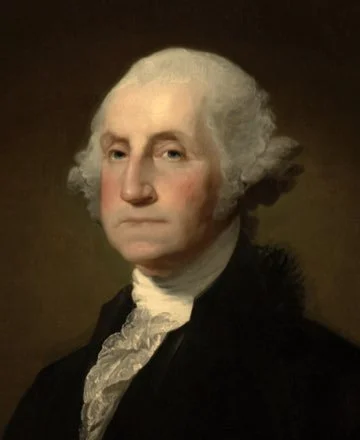
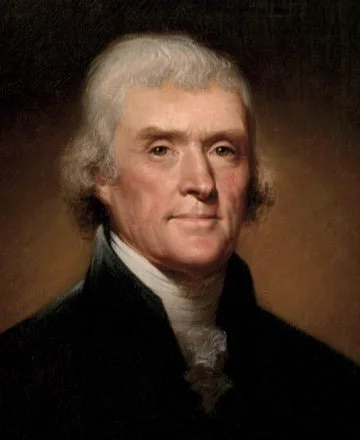
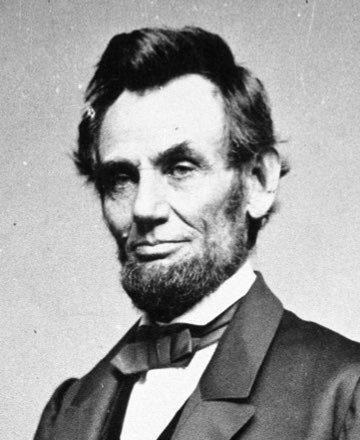
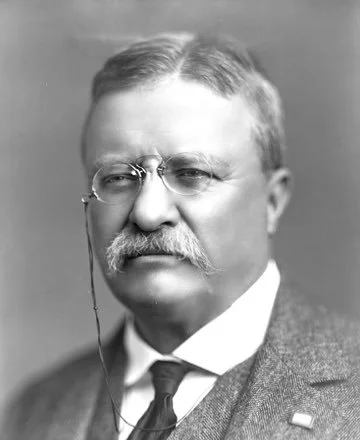
Portrait Game: Type the President's Name
1st President
- Type the names of the U.S. Presidents in order based on their portrait.
- Type the President's full first and last name into the box and hit ENTER. Middle name is optional.
- Incorrect Guesses: +10 seconds added for every wrong guess. Incorrect guesses progressively reveal hints!
- Hint Button: Use up to 3 manual hints per portrait. Each hint adds a +5 second penalty.
PERSONAL BEST
SCORE
ACCURACY
TIME
HOW TO PLAY
Need study help?
🇺🇸 - Memorize the order effortlessly with The Presidents Song on YouTube.
🎵 - You can even ask Alexa or Siri to "Play the presidents song by Mister Harms!"
⭐️ - If you want more study tools and executive fun, explore the Presidents Resource Page by Mister Harms
Objective: Test your visual memory by identifying the official portraits.
Type the Name: Look at the portrait, type the president's first and last name into the box, and hit ENTER. (Capitalization doesn't matter!)
Incorrect Guesses: Every wrong guess adds a +10 second penalty to your time, but the game will slowly reveal letters to help you out.
Manual Hints: Stuck on a face? Click the Hint button for a clue, but it will cost you a +5 second penalty.
Study Guide: Need some extra help memorizing the Presidents? Download the Presidents study guide to help you learn while you play.
Ultimate Interactive Game
WHAT IS THE Presidents REVIEW Game?
Purpose: An interactive educational tool to help users memorize U.S. Presidents in chronological order.
Target Audience: K-12 students, Social Studies teachers, and history enthusiasts.
Format: Web-based game with instant accuracy feedback.
Creator: Mister Harms (misterharms.com), a veteran educator with over 25 years of classroom experience and trusted by 100,000+ educators worldwide.
Memorizing all the U.S. Presidents can be a daunting task for students. This interactive portrait game allows students to master the chronological order of the executive branch one step at a time. Fun for history enthusiasts and social studies classrooms.
With a clean, distraction-free interface, time penalties for incorrect guesses, and a well-earned confetti celebration upon completion, it is the perfect zero-friction review tool for bell-ringers, exit tickets, or study sessions.
Built for the Classroom
When selecting digital resources, you need tools that actually work in a real classroom setting. Created by an educator with over 25 years of experience, this platform prioritizes student learning over distracting pop-up ads or complicated logins. Today, these resources are trusted by educators nationwide, providing high-quality, dependable materials that keep students engaged.
Presidential Learning Resources
Looking for more ways to bring history to life in your classroom? Explore these popular resources:
Presidents Mega Pack: A comprehensive set of worksheets, biographies, and activities.
Presidents Coloring Book: A fun and creative way to explore the presidents.
Presidents As Puppets: Creative projects to engage middle and high school students.
Presidential Selfies: See each president taking a selfie at their most important event in history
U.S. History & Presidents Curriculum Plans: Full lesson plans designed to save teachers time.
Presidents Song: Learn the presidents through song. Ask Alexa or Siri to play the song in the background while you enjoy the game!
Presidents Study Guide: A quick reference for easy study while you play the games.
1 Hour Study Loop: Play the song in the background to help you as you improve your game play!
Frequently Asked Questions
-
The game includes all U.S. Presidents from George Washington to the current administration.
-
Yes! It is completely free for teachers to project on a smartboard or for students to use on individual devices for practice.
-
Take 10 minutes at the end of class for students to quiz themselves on their own, or play at home on their own devices.
Pairing this game with an auditory learning tool, like The Presidents Song on YouTube, provides the ultimate multi-sensory study guide to lock in the sequence.
Download the study guide as a visual to learn while you play!
More Creative Ways to Learn the Presidents